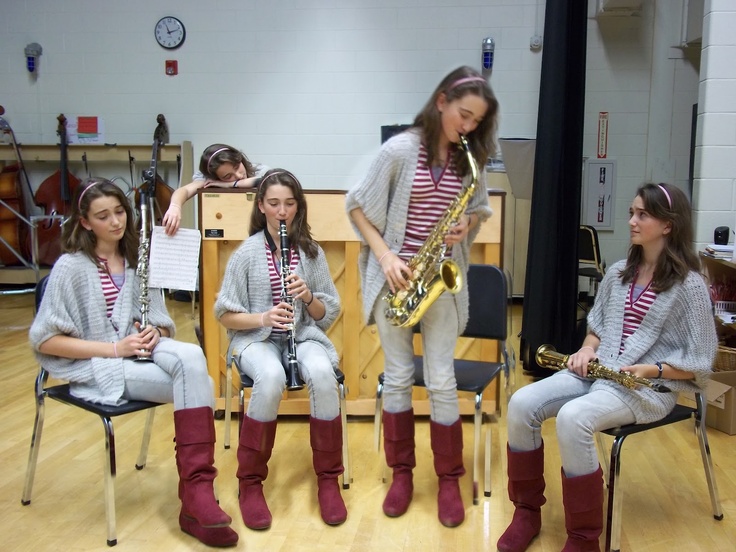
This assignment will make use of Photoshop Layer Masks to combine multiple images of yourself into one image.

Part 1: we will make one together.
Follow the links below to download each image.
cloneselfie1.jpg
cloneselfie2.jpg
cloneselfie3.jpg


Open the file named cloneselfie1 in Photoshop. Please don’t make any edits yet. We will do the rest together.
This is a great example of the process – beginning to end.
Part 2: now make your own.
GO OUTSIDE and take multiple portraits for your Cloned Self Portrait. Plan on combining at least three images of yourself using layer masks in Photoshop.
While you are out of the classroom:
1. stay on campus
2. stay outdoors
3. keep quiet and respect other people’s learning
4. take more photos than you think you need!
You will be provided with a loaner tripod and phone holder to use. Do not carry your phone in the phone holder as it is designed to hold the phone securely only when the tripod is on a flat surface.
Your image should include at least three separate images of yourself.
To create a successful image, do the following:
1. use a tripod OR make sure that you camera does not move between shots.
2. use the self timer
3. take more pictures than you think you will need
4. take multiple poses
Ideas: sit a table with yourself. Sneak up on yourself. Play catch. Jump over yourself. Help yourself with homework. Give yourself multiple faces/arms. Move around the space to get different poses.
For more inspiration search cloned self portrait on Google. Note that some may not be school friendly.